Do I still have wudu?
Wudu Check keeps track for you on your Apple Watch. Tap when you make wudu, tap when something breaks it, and glance at your wrist before you pray.
Coming soon to the App Store
Free, with no ads, no account and no in-app purchases. Needs watchOS 10 or later.
How it works
Make wudu, then tap
Tap I made wudu on your watch. One tap logs it, and you can undo it straight away.
Tap when something breaks it
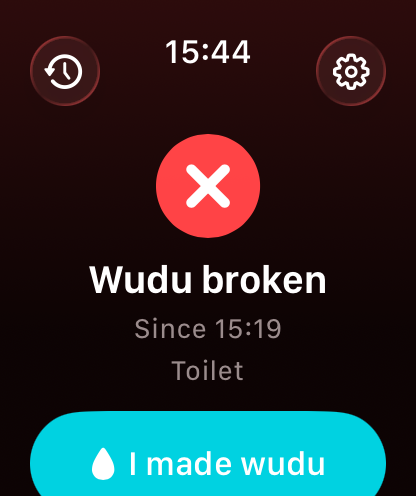
Tap Mark broken. You can add a reason, or skip it.
Glance before you pray
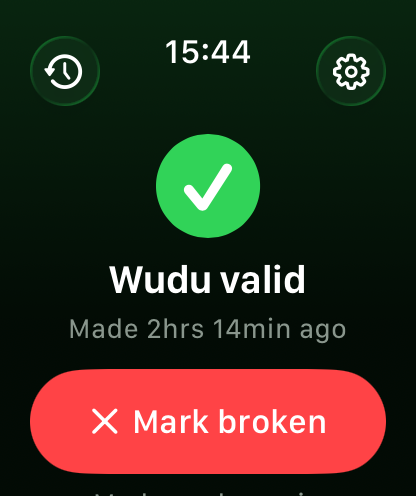
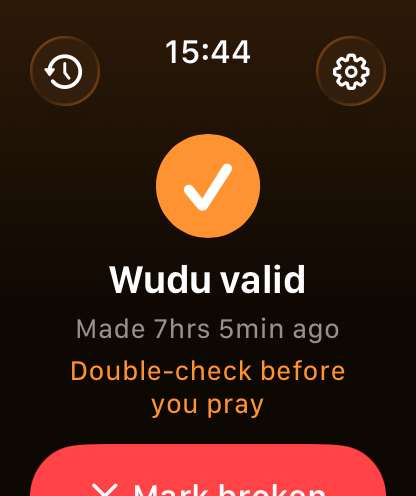
A green tick means your wudu is valid. An amber tick means it was made longer ago than the hours you chose (4, 6, 8 or 12), so double-check. A red cross means it’s broken.
On Apple Watch Series 9 or later and Apple Watch Ultra 2 with watchOS 11 or later, you can double tap your finger and thumb instead of tapping the screen.
What it does
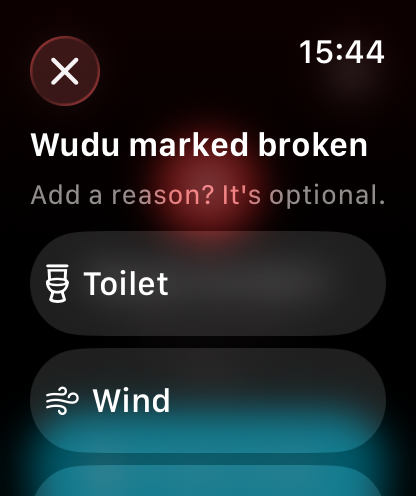
Add a reason, if you like
When you mark wudu broken, you can say why: toilet, wind, deep sleep, lost consciousness or other. These are the nullifiers that all four madhahib (Hanafi, Maliki, Shafi’i and Hanbali) agree on.
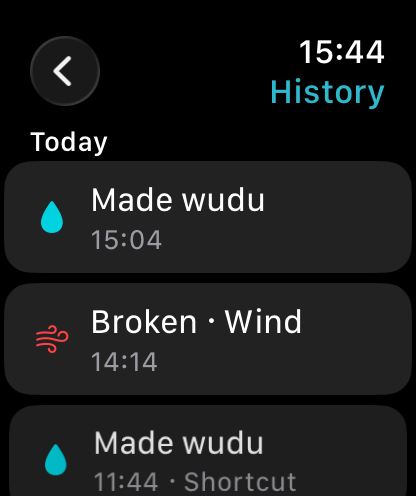
30 days of history
See what you logged over the last 30 days. You can change the time or reason of an event, or delete it.
Sleep breaks wudu, so the app can mark it for you
Choose how in Settings.
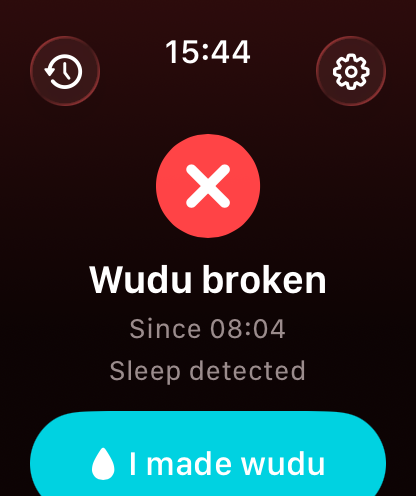
Apple Watch sleep
If you wear your watch to bed, the app uses its sleep data to mark your wudu broken. It’s opt-in, and the app only asks to read sleep data.
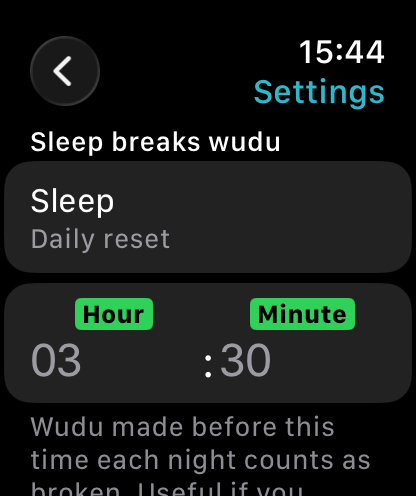
Daily reset
If you charge your watch overnight, pick a time instead. Wudu made before that time each night counts as broken.
Ask Siri, or use Shortcuts
Say any of these to Siri, or use them in the Shortcuts app. On Apple Watch Ultra, you can run them from the Action Button through Shortcuts.
- “Check my wudu in Wudu Check”
- “I made wudu in Wudu Check”
- “Mark wudu broken in Wudu Check”
- Complications and Smart Stack
- Put your status on your watch face, or find it in the Smart Stack, without opening the app.
- Control Center
- Add buttons for Made Wudu and Wudu Broken to Control Center (watchOS 26 or later).
Your data stays on your watch
Everything you log is stored only on your Apple Watch. There’s no account and no sign-in, the app makes no network requests, and there are no analytics, ads or tracking. We can’t see any of your data.
If you turn on Apple Watch sleep, the app reads your sleep data on the watch and never sends it anywhere.
Read the privacy policy
Free, with nothing to sign up for
Wudu Check is free, with no ads, no account and no in-app purchases.
Coming soon to the App Store
Requirements
An Apple Watch with watchOS 10 or later: Apple Watch Series 4 or later, any Apple Watch SE, or any Apple Watch Ultra. Wudu Check is a watch-only app. Control Center buttons need watchOS 26, and double tap needs watchOS 11.
About rulings
Wudu Check is a reminder, not a religious ruling. For anything specific to you, ask a scholar you trust.